
MD5 Hash Generator
Table of Contents
- MD5 hash generator online — calculate 32‑char MD5 checksums
- How to use
- Output format
- Examples
- When to use / When not to use
- Tips & quick workflows
- Quick troubleshooting
- FAQ
- Can I reverse an MD5 hash or decode it back to the original text?
- Is MD5 secure for passwords or authentication?
- Can I hash files with this tool?
- What exact output does the tool produce?
MD5 hash generator online — calculate 32‑char MD5 checksums
MD5 hash generator online — calculate 32‑char MD5 checksums
Instantly generate MD5 checksums from text. Paste input into the editor, run the MD5 command and copy the 32‑character lowercase hex digest for quick integrity checks and non‑security uses.
How to use
- Paste the text you want to hash into the editor.
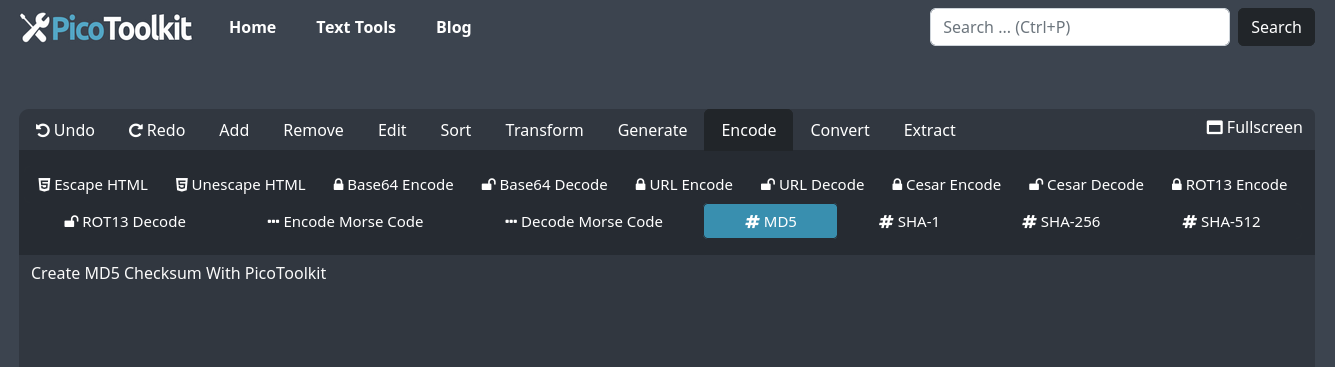
- Select Encode → MD5 from the menu or use the search (Ctrl+P) to find the MD5 command.
- Copy the resulting 32‑character lowercase hex string and paste it into your tool, log or script.
Output format
- MD5 produces a 128‑bit digest rendered as a 32‑character hexadecimal string (lowercase hex).
- Example format:
5d41402abc4b2a76b9719d911017c592 - The tool hashes text pasted into the editor only (no file upload). Copy the output to your clipboard for further use.
Examples
Input:  hello
MD5:    5d41402abc4b2a76b9719d911017c592

Input:  test
MD5:    098f6bcd4621d373cade4e832627b4f6

Input:  password
MD5:    5f4dcc3b5aa765d61d8327deb882cf99
When to use / When not to use
- Use MD5 for quick checksums, simple integrity checks and non‑security tasks where cryptographic strength is not required.
- Do NOT use MD5 for password storage, authentication, or any security‑critical functions — MD5 is vulnerable to collision attacks and is considered deprecated for security purposes.
- For stronger hashing, consider SHA family hashes or purpose-built password hashing algorithms (for example, use SHA‑256/SHA‑512 for checksums and bcrypt/Argon2 for password hashing).
- Related PicoToolkit hash tools: SHA-1, SHA-256, SHA-512.
Tips & quick workflows
- The tool outputs lowercase hex by default. If you need uppercase, transform the string locally (most editors can change case).
- If you need to encode the MD5 digest (for example, Base64), use the Base64 tool: Base64 Encoder and Decoder.
- To prepare lists of inputs or convert outputs for import, use helpers like Convert Newline to Comma or CSV to JSON.
Quick troubleshooting
- If your expected checksum differs, check for invisible characters (leading/trailing whitespace) and ensure the exact text was pasted.
- Confirm input encoding and normalize newlines if hashing multi-line text — differences in encoding or line endings change the MD5 result.
- The tool hashes only text pasted into the editor; to hash file contents, compute the checksum locally with a file‑hash utility and compare results here by pasting the file text.
FAQ
Can I reverse an MD5 hash or decode it back to the original text?
No. MD5 is a one‑way hash function. It is not reversible. While small or common inputs can sometimes be found via lookup tables or brute force, MD5 does not provide decryption functionality.
Is MD5 secure for passwords or authentication?
No. MD5 is not secure for password hashing or authentication because it is vulnerable to collisions and fast brute‑force attacks. Use SHA‑256/SHA‑512 for non‑critical checksums and bcrypt or Argon2 for password storage.
Can I hash files with this tool?
Not directly. This MD5 generator hashes text pasted into the editor only. For file checksums, use a local checksum utility to generate the MD5 of the file or paste the file's raw text content into the editor if appropriate.
What exact output does the tool produce?
The tool returns a 32‑character lowercase hexadecimal MD5 digest (128‑bit). Use the Copy control to copy the digest to your clipboard for use in scripts, logs or comparisons.
MD5 hash generator online — fast, lowercase 32‑char MD5 checksums for text. Suitable for quick checksums and integrity checks; not recommended for password storage. Use SHA‑256/512 or bcrypt/Argon2 for secure hashing needs.