
Convert Roman Numerals To Numbers
Table of Contents
- Convert Roman numerals to numbers
- How to use
- What the tool supports
- Basic symbols & examples
- How large numbers are written in Roman (overline / vinculum)
- Common use cases
- Examples
- FAQ
- Are lowercase Roman numerals recognised?
- Will ordinals like "IIIrd" convert?
- What happens to non‑Roman text?
- How does the tool handle malformed or ambiguous sequences?
- How large numbers can the tool convert?
- Need the reverse conversion?
- Tips & edge cases
- Related tools
Translate Roman numbers to Arabic equivalents.
Convert Roman numerals to numbers
Quickly convert Roman numerals embedded in any text into Arabic numbers. The converter recognises only valid Roman sequences (case‑insensitive) and leaves other text unchanged — paste an article and only the Roman numerals will be replaced.
How to use
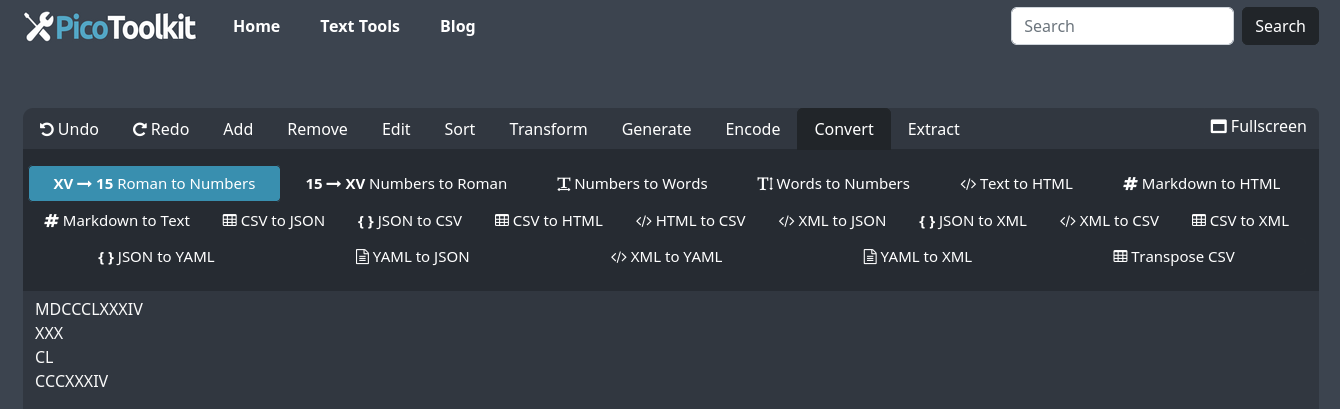
- Paste your text into the input field.
- Select Convert → Roman to Numbers.
- The tool finds valid Roman numeral runs and replaces each with its Arabic value; surrounding text is preserved.
What the tool supports
- Case‑insensitive: both UPPER and lowercase Roman numerals are recognised (e.g., "xx" → "20").
- Ordinals are not supported: forms like "IIIrd" or "1st" are left unchanged.
- Non‑Roman strings are ignored and kept intact — you can safely paste full articles.
- Large integers: the converter recognises the overline (vinculum) convention and can handle values up to 10 digits when overlines are used to indicate thousands/millions.
Basic symbols & examples
| Roman | Value |
|---|---|
| I | 1 |
| V | 5 |
| X | 10 |
| L | 50 |
| C | 100 |
| D | 500 |
| M | 1,000 |
Simple combinations:
- II = 2
- XII = 12
- XXVII = 27
- IX = 9 (subtractive rule)
How large numbers are written in Roman (overline / vinculum)
Standard Roman numerals using I, V, X, L, C, D, M reliably represent numbers up to 3,999. To express larger values a vinculum (an overline) is used: placing an overline over a symbol or group multiplies its value by 1,000. The tool recognises common overline forms and converts them.
| Roman | Meaning |
|---|---|
| V̄ | 5,000 |
| X̄ | 10,000 |
| L̄ | 50,000 |
| C̄ | 100,000 |
| D̄ | 500,000 |
| M̄ | 1,000,000 |
Examples with step‑by‑step breakdown:
- 4,000 = IV̄ (interpreted as 5,000 − 1,000 = 4,000).
- 12,345 = X̄MMCCCXLV → X̄ (10,000) + MM (2,000) + CCC (300) + XL (40) + V (5).
- 1,234,567 can be written by applying overlines to the million/thousand groups; the tool accepts these grouped overline forms and converts them into the full Arabic value up to the 10‑digit limit.
Notes on notation:
- An overline may be applied to a single symbol (e.g., X̄) or to a group of symbols to scale the whole group's value by 1,000.
- Because rendering can vary across fonts and editors, the tool recognises common Unicode overline forms and common plain‑text approximations used in documents.
Common use cases
- Cleaning historical documents or transcriptions before analysis.
- Preparing web content or articles where Roman numerals should convert to modern numbers.
- Checking homework, lecture notes, or publications for correct numeric values.
Examples
- MCMLXXXIV → 1984
- XX line → 20 line
- xxii → 22
- III remains IIIrd (ordinals like "IIIrd" are not converted)
FAQ
Are lowercase Roman numerals recognised?
Yes — the tool is case‑insensitive.
Will ordinals like "IIIrd" convert?
No — ordinal suffixes are not supported and such strings are left unchanged.
What happens to non‑Roman text?
Non‑Roman strings are ignored and kept intact; only valid Roman runs are converted.
How does the tool handle malformed or ambiguous sequences?
To avoid incorrect conversions the tool ignores sequences that violate standard Roman numeral formation rules.
How large numbers can the tool convert?
With the vinculum convention the tool accepts overlined numerals representing thousands and millions and can convert values up to a 10‑digit limit. If you need very large or unusual notations, split the number into smaller groups before converting.
Need the reverse conversion?
Use the complementary tool: Numbers to Roman Numerals.
Tips & edge cases
- The converter recognises Roman sequences inside words and next to punctuation; it will replace only valid runs of Roman letters.
- Avoid mixing ordinal suffixes (e.g., "Vth", "IIIrd") if you expect conversion; these forms will usually be left unchanged.
- Ambiguous or malformed sequences that could produce incorrect values are ignored.
- If you need the reverse operation (numbers → Roman), try the complementary tool: Numbers to Roman Numerals.
Related tools
- Convert Numbers to Roman — turn Arabic numbers into Roman numerals.
- Numbers to Words — convert numeric values into spelled‑out words.