
ROT13 Decoder and Encoder
Secure communications with simple and reversible ROT13 cipher.
ROT13 Decoder & Encoder
Instant ROT13 online tool to encode or decode text. Use this ROT13 encoder/decoder to obfuscate spoilers, hide puzzle answers or quickly convert ROT13 strings back to readable text. Fast, browser-based and free.
How to use
- Paste or type your text into the input area.
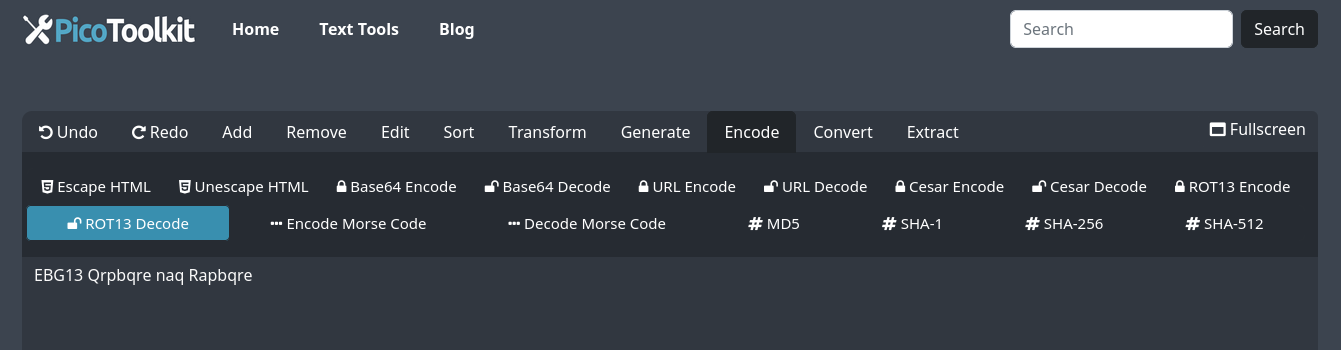
- Select Encode → ROT13 to obfuscate or Decode → ROT13 to restore the original text.
- Copy the converted text and paste it into forums, emails or documents.
Behavior & rules
- Alphabet scope: ROT13 applies to Latin letters A–Z and a–z only. Each letter is rotated 13 positions (A ↔ N, B ↔ O, etc.).
- Case preserved: Uppercase remains uppercase; lowercase remains lowercase after ROT13 transformation.
- Non-letters unchanged: Digits, punctuation, spaces and other non-letter characters are not modified by the ROT13 encoder/decoder.
- Reversible: The ROT13 operation is its own inverse — applying ROT13 again returns the original text.
- Unicode & non-Latin scripts: ROT13 is defined for the Latin alphabet. Non-Latin characters are not shifted by this tool.
Examples
Input:  Hello, World!
Output: Uryyb, Jbeyq!

Input:  Uryyb
Output: Hello

Input:  The secret is: 12345.
Output: Gur frperg vf: 12345.
Common workflows (ROT13 + other encodings)
- Decode a received ROT13 string: Paste the ROT13 text and choose Decode → ROT13 to reveal the original message.
- Base64 then ROT13 (common combo):
- Base64-decode the data first using the Base64 tool.
- Paste the decoded text into this ROT13 tool and run ROT13 to reveal or obfuscate content.
- To re-encode, apply ROT13 first, then Base64-encode the result.
- Other Caesar shifts: For shifts other than 13, use the Caesar Cipher tool to encode or decode with a custom rotation.
Security note
ROT13 is simple obfuscation, not encryption. It provides no real security — do not use ROT13 for private or sensitive data.
Related tools
- Caesar Cipher Decoder: For decoding texts encoded with variable rotations.
- Morse Code Decoder: Translates Morse code into readable text and vice versa.
- Base64 Encoder and Decoder: Encode and decode Base64 when combining with ROT13 workflows.
- Base64 Encoder and Decoder — decode or encode Base64 before/after ROT13.
- Caesar Cipher Decoder and Encoder — apply variable rotations other than 13.
FAQ
Which characters does ROT13 change?
Only Latin letters A–Z and a–z are rotated by this ROT13 tool. Numbers, punctuation and other characters remain unchanged.
Is ROT13 secure?
No. ROT13 is reversible without a key and should not be used to protect sensitive information.
How do I handle combined encodings like Base64 + ROT13?
Order matters. To reveal text that was Base64 then ROT13 encoded: first Base64-decode, then apply ROT13. To produce that encoding: apply ROT13, then Base64-encode the result. Use the Base64 Encoder and Decoder tool at Base64 Encoder and Decoder.