
SHA-256 Hash Generator
Table of Contents
- Generate SHA-256 hashes online — SHA‑256 Hash Generator
- How to use
- Behavior & output format
- Examples — exact input → output
- Security note — when not to use SHA‑256
- Tips & workflows
- FAQ
- What encoding is used before hashing?
- Can I get the output in base64 or uppercase hex?
- Can I hash files or compute HMACs here?
- Is SHA‑256 reversible?
- Related tools
Generate SHA-256 hashes online — SHA‑256 Hash Generator
Generate SHA-256 hashes online — SHA‑256 Hash Generator
Generate a 64‑character SHA‑256 checksum from any text. Paste text into the editor, run Encode → SHA‑256, and copy the lowercase hexadecimal digest for checksums, signing, or verification tasks.
How to use
- Paste the text you want to hash into the editor.
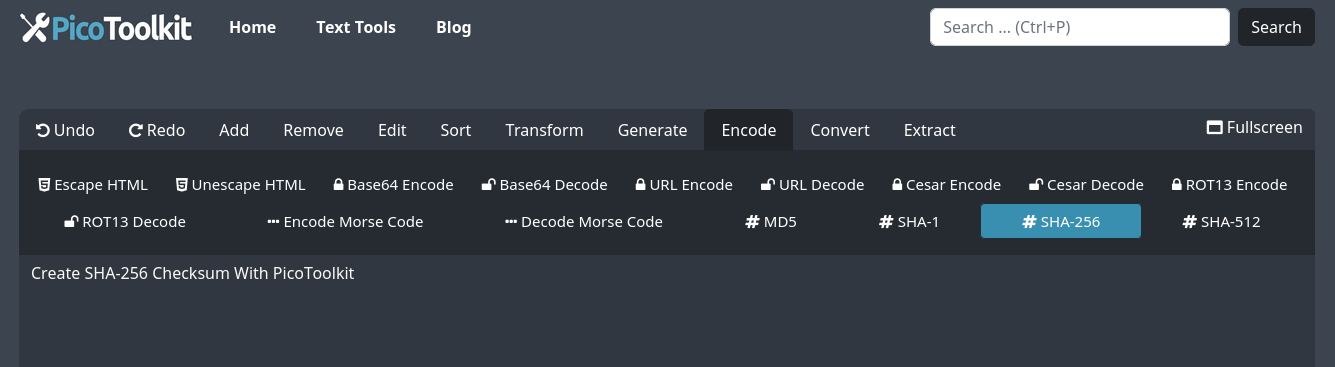
- Choose Encode → SHA‑256.
- Copy the resulting 64‑character lowercase hexadecimal hash from the editor (use the editor’s copy action).
Behavior & output format
- Input encoding: the tool hashes the UTF‑8 bytes of the provided text.
- Output format: lowercase hexadecimal only (64 characters, 256 bits).
- No file or HMAC support: this tool hashes text only and does not compute HMACs, salted KDFs, or accept file uploads.
- Whitespace: the tool hashes the exact characters you paste (leading/trailing whitespace is included). If you want trimmed input, run Trim first.
- Deterministic: the same input always produces the same hash. The operation is one‑way (not reversible).
Examples — exact input → output
Input:
hello

Output:
2cf24dba5fb0a30e26e83b2ac5b9e29e1b161e5c1fa7425e73043362938b9824
Input:
abc

Output:
ba7816bf8f01cfea414140de5dae2223b00361a396177a9cb410ff61f20015ad
Input:
(empty string)

Output:
e3b0c44298fc1c149afbf4c8996fb92427ae41e4649b934ca495991b7852b855
Security note — when not to use SHA‑256
- SHA‑256 is suitable for checksums and integrity checks or as part of signing workflows.
- Do not use plain SHA‑256 to store passwords. For passwords use a dedicated slow KDF: PBKDF2, bcrypt, scrypt or Argon2 with an appropriate salt and parameters.
- For keyed MACs (message authentication) use HMAC‑SHA256 rather than raw SHA‑256.
Tips & workflows
- To hash trimmed text: run Trim → Encode → SHA‑256.
- To compare checksums: generate the hash here and compare it with the published/expected hex string (exact match required).
- Need a different hash? See related tools below for MD5, SHA‑1 and SHA‑512.
FAQ
What encoding is used before hashing?
UTF‑8. The tool hashes the raw UTF‑8 bytes of the text you paste.
Can I get the output in base64 or uppercase hex?
No. This tool returns lowercase hexadecimal only. Use a separate converter (Base64) if you need a different representation.
Can I hash files or compute HMACs here?
No. The current tool hashes text only. It does not accept file uploads and does not provide HMAC or KDF functions.
Is SHA‑256 reversible?
No. SHA‑256 is a one‑way cryptographic hash function. You cannot reconstruct the original input from the hash.
Related tools
- SHA-1 — legacy hash (not recommended for security).
- SHA-512 — larger SHA‑2 hash family member.
- MD5 — checksum / legacy hash (not secure for cryptographic use).
- Trim — remove leading/trailing whitespace before hashing.
- Base64 encoder/decoder — convert hash representations if needed.