
Snake Case Converter
Table of Contents
- How to use
- How it handles input (exact rules)
- Common use cases
- Examples & copyable snippets
- Chaining tools into workflows
- Tips & edge cases
- FAQ
- Does it split camelCase and PascalCase?
- What happens to punctuation and symbols?
- How are diacritics handled?
- Are numbers preserved?
- Can I convert many strings at once?
- Similar Tools
What is Snake Case?
Convert any text to snake_case fast. The tool lowercases text, splits camelCase/PascalCase, converts diacritics to closest ASCII, and removes non‑alphanumeric characters while preserving underscores and digits. Ideal for Python variables, JSON keys, DB columns and safe file names.
How to use
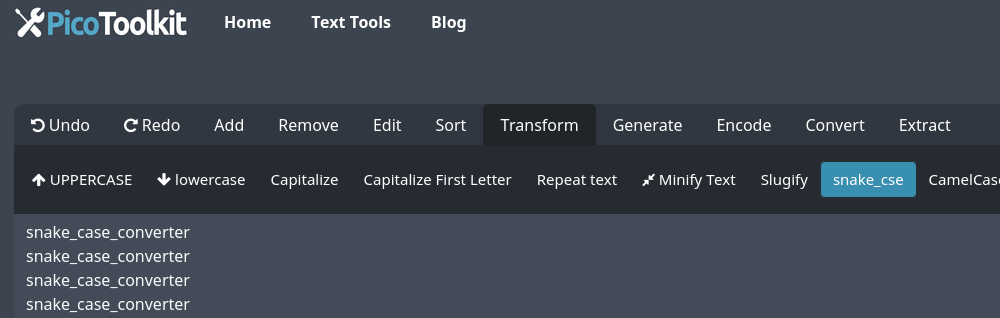
- Paste your text into the input field.
- Choose Transform → Snake Case.
- Copy the result (use the copy button or keyboard shortcuts).
How it handles input (exact rules)
- Letters → converted to lowercase.
- Spaces → replaced with single underscores (_).
- camelCase / PascalCase → split on case boundaries (helloWorld → hello_world).
- Diacritics → transliterated to closest ASCII (e.g., ź → z).
- Non‑alphanumeric characters → removed, except existing underscores which are preserved.
- Digits → preserved in place.
- Multiple adjacent separators → collapsed into a single underscore.
Common use cases
- Naming Python variables and constants (example: "User ID" → "user_id").
- Normalizing JSON keys for APIs and config files.
- Creating database column names that avoid spaces and special characters.
- Preparing filenames that must be cross‑platform safe.
Examples & copyable snippets
- "Hello World" → "hello_world"
- "UserID" → "user_id"
- "helloWorld" → "hello_world"
- " Hello — World! 2024 " → "hello_world_2024"
- "ź" → "z"
Developer quick use (copy): input = "myVariableName"; result = "my_variable_name"
Chaining tools into workflows
- Extract a pattern, then convert results to snake_case: use the Pattern Extractor to pull matching strings and then Transform → Snake Case to normalize them for code or DB fields.
- Clean data first: run Remove Punctuation or Remove Non‑Alphanumeric Characters before converting to avoid unexpected characters.
- For lists: extract items with Extract Text Between Two Strings, de‑duplicate with Remove Duplicates, then convert to snake_case.
Tips & edge cases
- If your target is a URL slug (hyphens), use Slugify Text instead.
- Existing underscores are preserved — if you want to normalize them first, run Remove Spaces or manually replace separators.
- For bulk conversions, paste the full list and check for duplicates with Remove Duplicates.
- To ensure ASCII-only output, you can run Remove Diacritics first; this tool already transliterates common diacritics by default.
- Keyboard workflow: paste (Ctrl/Cmd+V) → Transform → copy (Ctrl/Cmd+C).
FAQ
Does it split camelCase and PascalCase?
Yes — words are split on uppercase boundaries (helloWorld → hello_world, UserID → user_id).
What happens to punctuation and symbols?
Non‑alphanumeric characters are removed. Existing underscores are kept. To remove underscores too, run Remove Non‑Alphanumeric Characters first.
How are diacritics handled?
Diacritics are transliterated to closest ASCII (e.g., ź → z), so output is ASCII-friendly.
Are numbers preserved?
Yes — digits remain in the output (e.g., "v2 API" → "v2_api").
Can I convert many strings at once?
Yes — paste a multiline list. For best results, clean with Remove Empty Lines or de‑duplicate with Remove Duplicates first.
Similar Tools
Alongside snake case converters, several other text transformation tools are useful for developers and content creators:
- Camel Case Converter: Transforms text into camelCase, where the first letter of each word is capitalized except for the first word, and spaces are removed (e.g., "someTextMessage").
- Slugify: Converts text into a web-friendly format, often used for URLs, where spaces are replaced with hyphens and special characters are removed or replaced.
- Case Converter: Converts text to lowercase, uppercase or capitalize.