
Remove Diacritics
Table of Contents
- Remove accents from text online — Remove Diacritics
- How to use
- What the tool does (behavior & details)
- Examples
- Tips & workflows
- FAQ
- Will the tool transliterate non-Latin scripts (Cyrillic, Greek) or emoji?
- How are special letters handled (for example ß, ø, ł)?
- Does the tool preserve uppercase/lowercase?
- Will the tool remove all non-ASCII characters?
- Related tools
Online Tool to Remove Accents
Remove accents from text online — Remove Diacritics
Convert accented letters to their basic ASCII equivalents quickly. Paste text and run Remove → Diacritics to get a cleaned, ASCII-friendly version suitable for systems that require plain Latin characters, URL slugs, or simplified datasets. The operation preserves case and leaves non‑Latin scripts and emoji unchanged.
How to use
- Paste your text into the editor.
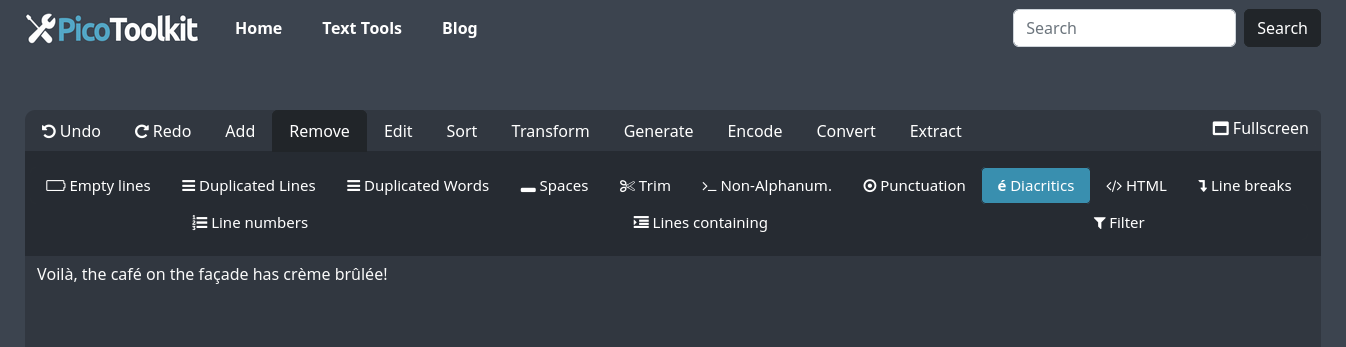
- Open Remove → Diacritics and click Apply.
- The processed text replaces the editor content in place; copy the result from the editor (use the copy action) or continue with other tools.
What the tool does (behavior & details)
- Converts Latin letters with diacritics to the closest basic Latin equivalents (for example,
é → e,ç → c,Ł → L). - Handles both precomposed characters and combining diacritical marks by normalizing before conversion; combining marks are removed so letters reduce to their base form.
- Preserves original letter case (uppercase stays uppercase, lowercase stays lowercase).
- Non-Latin scripts (Cyrillic, Greek, Arabic, CJK, etc.) and emoji are left unchanged — the tool does not attempt transliteration for those scripts.
- The tool only removes diacritics from letters — other characters (punctuation, symbols, numbers) remain intact unless you run additional cleanup tools.
Examples
French
Before: "Voilà, the café on the façade has crème brûlée!"
After:  "Voila, the cafe on the facade has creme brulee!"
Polish
Before: "Łódź is known for its unique architecture and żurek."
After:  "Lodz is known for its unique architecture and zurek."
German (note ß mapping)
Before: "Straße"
After:  "Strasse"
Scandinavian
Before: "Smørrebrød"
After:  "Smorrebrod"
Vietnamese (multiple diacritics)
Before: "Tiếng Việt"
After:  "Tieng Viet"
Tips & workflows
- Prepare HTML content: run HTML Stripper first, then Remove → Diacritics to avoid altering markup or attributes.
- Create URL slugs: Remove → Diacritics → Case Converter → Slugify.
- Clean data for analysis: Remove → Diacritics → Remove Non-Alphanumeric Characters → Trim.
- Remove spaces and compact text after transliteration: combine with Remove Spaces if needed.
FAQ
Will the tool transliterate non-Latin scripts (Cyrillic, Greek) or emoji?
No. Non-Latin scripts and emoji are left unchanged. The tool focuses on removing diacritical marks from Latin-based alphabets and does not attempt transliteration of other writing systems.
How are special letters handled (for example ß, ø, ł)?
Common language-specific mappings are applied to produce ASCII-friendly results (for example, ß → ss, ø → o, ł → l). Combining diacritics are normalized and removed so base letters remain.
Does the tool preserve uppercase/lowercase?
Yes. The operation preserves the original case of letters. If you need a different case, run Case Converter before or after removal.
Will the tool remove all non-ASCII characters?
No. It specifically removes diacritics from Latin letters. Other non-ASCII characters (non-Latin scripts, symbols, emoji) remain. To strip non-alphanumerics, use Remove Non-Alphanumeric after removing diacritics.
Related tools
- Remove Spaces — delete all space characters.
- Remove Non-Alphanumerics — strip characters that are not letters or digits.
- Remove Punctuations — remove punctuation marks.
- Remove HTML — extract plain text from HTML before cleaning.
- Slugify — produce URL-friendly slugs after diacritics removal.